
An SVG that opens fine in the browser and then vanishes inside a React app is one of the most common front-end puzzles. The file is rarely the problem. Something between the file and the DOM is: the import, the JSX conversion, the sizing, the paint, or a header on the server. This guide goes through the causes in the order we would check them, with a fix for each.
Start with two quick checks. Open the browser console and look for a React error or warning. Then inspect the spot where the icon should be. If there is no <svg> or <img> element at all, the problem is in the import or the component. If the element is there but blank, the problem is in size, paint, or loading.
1. The import returns a URL, not a component
Bundlers turn import logo from "./logo.svg" into a URL by default. If you render that value as <Logo />, React receives a string where it expected a component. Depending on the setup you see an "Element type is invalid" error, an invalid tag name error, or nothing. The fix depends on the toolchain.
Vite
Vite has no SVG-to-component step of its own. Add vite-plugin-svgr. In its current major version the plugin only handles imports that end in ?react, so a plain import stays a URL:
// vite.config.ts
import { defineConfig } from "vite";
import react from "@vitejs/plugin-react";
import svgr from "vite-plugin-svgr";

export default defineConfig({
  plugins: [react(), svgr()],
});

// Component.tsx
import logoUrl from "./logo.svg";        // a URL string: use it in <img src>
import Logo from "./logo.svg?react";     // a component: render <Logo />

export function Header() {
  return (
    <>
      <img src={logoUrl} alt="Acme" width={120} height={32} />
      <Logo aria-hidden="true" />
    </>
  );
}
In TypeScript, add the plugin's client types so the ?react import is typed:
// src/vite-env.d.ts
/// <reference types="vite/client" />
/// <reference types="vite-plugin-svgr/client" />
Create React App
CRA runs SVGR for you, but it exposes the component as a named export called ReactComponent. The default export is still the URL:
// Create React App: SVGR is built in, through a named export
import logoUrl, { ReactComponent as Logo } from "./logo.svg";

<img src={logoUrl} alt="Acme" />;
<Logo title="Acme" />;
Next.js
Without an SVG loader, Next.js turns an image import into an object with src, width, and height. Passing that object to a plain <img> renders src="[object Object]":
// Next.js without an SVG loader: the import is an object, not a string
import logo from "./logo.svg";
import Image from "next/image";

<img src={logo.src} width={logo.width} height={logo.height} alt="Acme" />; // plain img
<Image src={logo} alt="Acme" />;                                            // next/image
// <img src={logo} /> renders src="[object Object]" and shows nothing
To import SVG files as components in Next.js you need @svgr/webpack configured for webpack or Turbopack. The options, and when not to use a loader at all, are in SVG in Next.js: Inline, img, or Component. A simpler route is to convert the icon once, with the SVG to TSX converter for example, and commit the component. Then there is no import configuration to get wrong.
The same mismatch appears in tests. Jest setups often map .svg imports to a file stub, so a component that renders in the app can render a string or nothing in a test.
2. The markup was pasted into JSX without converting it
JSX is not HTML, and raw SVG uses XML attribute names. Some of the differences only cause a warning. Others break the component.
The warnings first. React logs Invalid DOM property `class`. Did you mean `className`? and the same for stroke-width, fill-rule, and other hyphenated names. In current React versions those attributes are still written to the DOM, so they are rarely the reason an icon is missing. Fix them anyway, because the warning hides the real problem in a noisy console. TypeScript does not catch them, since it does not type-check hyphenated JSX attribute names.
These four, on the other hand, stop the icon from appearing:
// Each of these stops the icon from appearing
<svg style="fill:red">...</svg>          // throws: style expects an object
<use xlink:href="#a" />                   // Babel: namespace tags are not supported
<!-- exported from Figma -->              // syntax error: HTML comments are not JSX
<svg viewbox="0 0 24 24"> // lowercase: not treated as viewBox- A
stylestring makes React throw: the style prop expects a mapping from style properties to values. An exported SVG often has dozens of them. xlink:hrefand other namespaced names fail in Babel's React JSX transform with "Namespace tags are not supported by default".- An XML comment is a syntax error in JSX, so the file does not compile.
- A lowercase
viewboxproduces a warning, and when React creates the element in the browser the attribute is not treated asviewBox. The drawing loses its coordinate system, which leads to the sizing problem below.
<svg style={{ fill: "red" }}>...</svg>
<use href="#a" />                          // or xlinkHref="#a" for old renderers
{/* exported from Figma */}
<svg viewBox="0 0 24 24">
The full list of renames is in SVG to JSX: Attribute Rules Explained. To skip the manual work, paste the file into the SVG to JSX converter. It runs SVGR, which rewrites all of the above, and keeps the viewBox.
3. The SVG has no size, or the wrong one
An element that exists but takes no space is a sizing problem. Inspect it and look at the computed width and height.
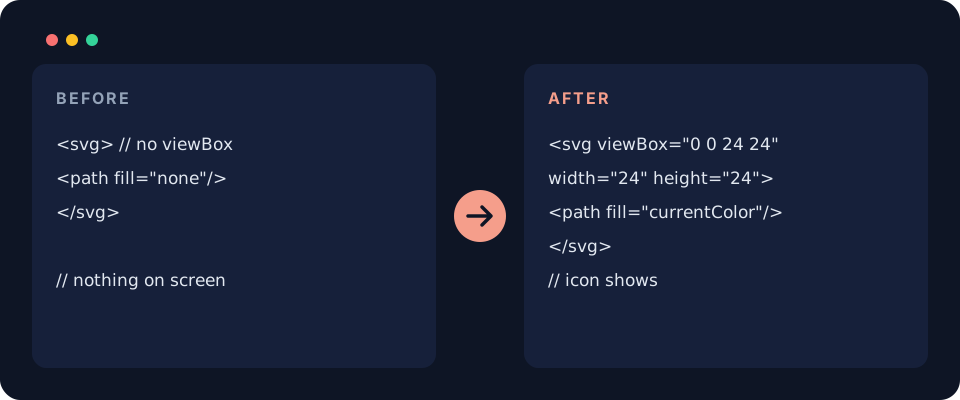
- Missing viewBox.
widthandheightset the box.viewBoxsays which part of the drawing's coordinate system goes into that box. A 512-unit drawing in a 24-pixel box with noviewBoxshows only its top-left corner, which often looks blank. Some optimizers removeviewBoxwhen it matches the size, and SVGO 3 does that by default. - Zero or percentage sizes.
width="0"from a bad export, orwidth="100%"inside a parent that has no width, gives a zero box. - Flex containers. An icon without fixed dimensions inside a flex row can shrink to almost nothing next to long text. Give it a width, a height, and
flex-shrink: 0. - 1em sizing. SVGR's icon option sets width and height to
1em, so the icon is as tall as the font size of its parent. In a parent withfont-size: 0, it disappears.
// No viewBox: width and height crop the drawing instead of scaling it
<svg width="24" height="24"><path d="M0 0h512v512H0z" /></svg>

// Fixed: the drawing's coordinate system is declared, so it scales into 24×24
<svg width="24" height="24" viewBox="0 0 512 512"><path d="M0 0h512v512H0z" /></svg>

/* A flex parent can squeeze an icon that has no fixed size */
.button svg {
  width: 1.25rem;
  height: 1.25rem;
  flex-shrink: 0;
}
4. It is drawn, but in no visible color
If the box has the right size and is still empty, look at the paint. fill="none" on a shape that also has no stroke draws nothing. Outline icon sets work the other way round: the root has fill="none" and the paths rely on a stroke, so removing stroke removes the icon.
currentColor is the other classic. It resolves to the CSS color of the element or its parent. White text color on a white button gives you a white icon you cannot see. The currentColor guide explains what this site's currentColor switch rewrites, including gradient stops.
// Outline icon set (Feather, Lucide style): strokes carry the drawing
<svg viewBox="0 0 24 24" fill="none" stroke="currentColor" strokeWidth={2}>
  <path d="M5 12l5 5L20 7" />
</svg>

// currentColor comes from the CSS color of the element or a parent
<button style={{ color: "#0e1525", background: "#fff" }}>
  <CheckIcon />
</button>
5. Duplicate IDs in gradients, clip paths, and masks
IDs inside an inline SVG are global to the page. Render the same icon twice and two linearGradient elements share one id. Every url(#id) then points at the first one. If that first copy sits in a hidden menu or a closed dialog with display: none, browsers may not render its gradient, and the visible copies lose their fill or their clip path. Generate unique IDs per instance:
import { useId } from "react";

export function Badge(props: React.SVGProps<SVGSVGElement>) {
  const id = useId();
  const gradient = `${id}-fill`;
  return (
    <svg viewBox="0 0 24 24" {...props}>
      <defs>
        <linearGradient id={gradient} x1="0" x2="1">
          <stop offset="0" stopColor="#0f6e67" />
          <stop offset="1" stopColor="#7dcec6" />
        </linearGradient>
      </defs>
      <circle cx="12" cy="12" r="10" fill={`url(#${gradient})`} />
    </svg>
  );
}
6. The file loads, but the browser will not draw it
These causes apply when the SVG is used as a file, in <img src>, a CSS url(), or a data URI, rather than inline in JSX. Check the Network tab for the request.
- Missing xmlns. Inline SVG in an HTML page does not need it. A standalone file does. Without
xmlns="http://www.w3.org/2000/svg"on the root, an image request returns the file but nothing is drawn. Editors usually include it, and hand-trimmed files are where it goes missing. - Wrong path. Files in a
publicfolder are served from the site root, so the path is/logo.svg, notpublic/logo.svgor a path relative to the component. - Wrong Content-Type. A server that sends
.svgastext/plainorapplication/octet-stream, together withX-Content-Type-Options: nosniff, makes the browser refuse to render it as an image. The type must beimage/svg+xml. - Content-Security-Policy.
img-srccontrols where images may load from. A policy withoutdata:blocks SVG data URIs, and one without your CDN blocks icons served from it. Inline<svg>elements are not images and are not affected byimg-src. Markup injected withdangerouslySetInnerHTMLis subject tostyle-srcfor its style attributes and<style>elements. - Unencoded data URIs. A
#in a color ends the data part of the URI. The rules are in SVG to Data URI in CSS, and the SVG to Data URI encoder does the escaping. - Cross-origin sprites.
<use href="https://cdn.example.com/icons.svg#check">does not work across origins. Serve the sprite from the same origin as the page, or inline it. - An img cannot run or fetch. An SVG loaded as an image does not run scripts, and it does not load external images or fonts it references. Anything that depends on those is missing.
# Cloudflare Pages or Netlify _headers: serve .svg with the right type
/*.svg
  Content-Type: image/svg+xml

# Content-Security-Policy: allow what your SVGs actually use
Content-Security-Policy: default-src 'self'; img-src 'self' data: https://cdn.example.com
7. React Native is a different renderer
React Native has no DOM, so <svg> and <path> elements do not exist there. Web SVG components render nothing or throw. Use react-native-svg and its Svg and Path components, as described in SVG to React Native with react-native-svg, or convert the file with the SVG to React Native converter.
A short checklist
- Console: any React error, or warnings about class, style, or viewbox?
- Elements panel: is there an svg or img element where the icon should be?
- Import: URL or component, and does the code use it the same way?
- Box: does the element have a non-zero width and height, and a viewBox?
- Paint: is there a fill or stroke, and what does currentColor resolve to?
- IDs: is the same gradient, clipPath, or mask id on the page twice?
- Network: is the file found, served as image/svg+xml, and allowed by the CSP?
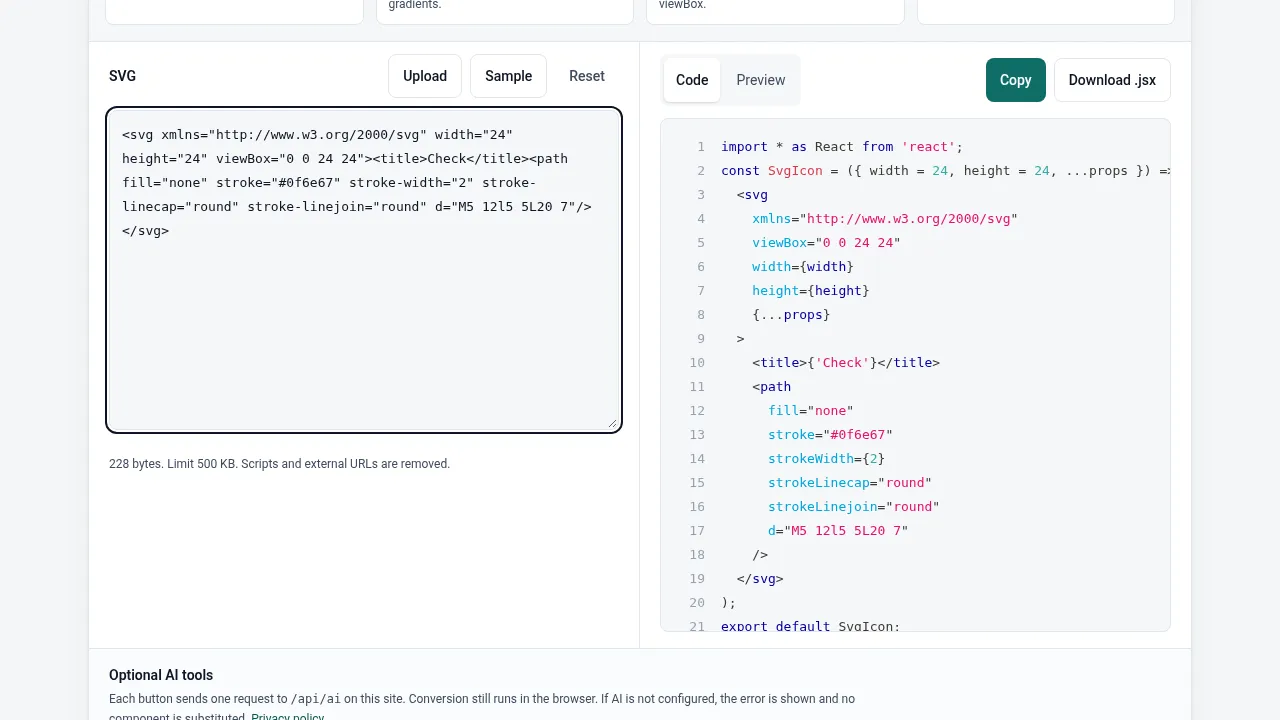
If the file itself is suspect, run it through the SVG to React converter and compare the component with yours. The preview shows the sanitized SVG, so a blank preview points at the file, and a working preview points at your app.