
A search for SVGR online usually means one thing: you want the component that SVGR would produce, and you do not want to install a CLI or change a bundler config to get it. Several websites will do that. They are not interchangeable, because they run different engines, different versions, and different defaults. This post compares the ones we use and know, including our own.
Disclosure: svgtoreact.com is our site, and the SVG to React converter is our tool. We have tried to describe the other tools by what can be checked: their public pages and, where one exists, their public source code. We did not invent ratings, and we do not claim speed or quality numbers that we did not measure. Facts about other sites were checked on November 2, 2026 and can change after that.
What "SVGR online" can mean
SVGR is a library. Its core package, @svgr/core, takes SVG markup and returns component code. It does not care whether it runs in a terminal, a webpack build, or a browser tab. Any website can bundle it and call it on what you paste. So an online tool falls into one of two groups:
- SVGR in a page. The site calls SVGR itself. The attribute rewriting, such as
classtoclassNameandstroke-widthtostrokeWidth, is SVGR's. Differences come from the SVGR version and the options the page passes. - An SVGR alternative. The site has its own conversion code. The output can look similar, but edge cases such as
styleattributes, comments,xlinknames, and<title>handling depend on that code, not on SVGR.
The second group is not worse by definition. It is just a different engine, and you should test it with your own files. The workflow question, whether to convert once or to run SVGR in every build, is covered in SVGR Alternative: SVGR vs Online Converter. This post is about choosing among the online options.
The options side by side
| Tool | Engine | SVGO default | Output | Many files |
|---|---|---|---|---|
| SVGR playground (react-svgr.com) | SVGR, from the SVGR project | Its sample output had no viewBox when we checked, which is what SVGO 3 does | Whatever SVGR options the page exposes | One file at a time |
| transform.tools SVG to JSX | SVGR (@svgr/core 5 in its public repository) | SVGO on, with a notice that you can turn it off | JSX | One file at a time |
| svg2jsx.com | Its own transform built on svg-parser and SVGO 3 | SVGO built in | JSX | One file at a time |
| svgtoreact.com (this site) | SVGR 8 (@svgr/core and @svgr/plugin-jsx) in the browser | SVGO 4 only when Optimize is on. viewBox and title stay. | JSX, TSX, React Native, Vue, Svelte | Batch page: up to 50 files in one zip |
| @svgr/cli on your machine | SVGR, any version you install | SVGO on unless you pass --no-svgo | Everything SVGR supports, plus templates | Folders, in scripts and CI |
The table leaves out speed, design, and "accuracy" scores on purpose. All five produce valid React code for ordinary icons. What separates them is the defaults, because the defaults decide whether a pasted icon still scales and still has an accessible name.
SVGR playground
The playground at react-svgr.com/playground is published by the SVGR project, so it is the reference for what SVGR does with a given set of options. If you want to know whether a strange result comes from SVGR or from a third-party site, paste the same file there.
Watch the optimization setting. When we loaded the playground, its sample output had lost the viewBox of the input and had collapsed the nested groups into one path. That is SVGO at work. SVGR 8 depends on SVGO 3, and SVGO 3's preset-default includes removeViewBox. Without a viewBox, a component that you later resize with width and height props crops instead of scaling. If you copy from the playground, turn SVGO off or override that plugin.
transform.tools
transform.tools is an open source collection of converters, and SVG to JSX is one of them. Its page says that SVGO optimization is on and can be turned off or configured in its settings. The project's public repository lists @svgr/core 5 and SVGO 1 as dependencies. We have not verified which versions the live site runs, but if the deployed build matches the repository, it is an older SVGR major than the current one. That matters little for simple icons and more for newer options. It is a good choice if you also use its other converters, such as HTML to JSX or JSON to TypeScript.
svg2jsx
svg2jsx.com is also open source. Its repository describes a tool that turns class into className, style strings into objects, and kebab-case attributes into camelCase. According to its dependencies it uses svg-parser and SVGO 3 rather than SVGR. That makes it a true SVGR alternative: a different engine with similar goals. Test it with files that have inline styles, comments, and xlink:href, and compare the result with SVGR's.
svgtoreact.com, our tool
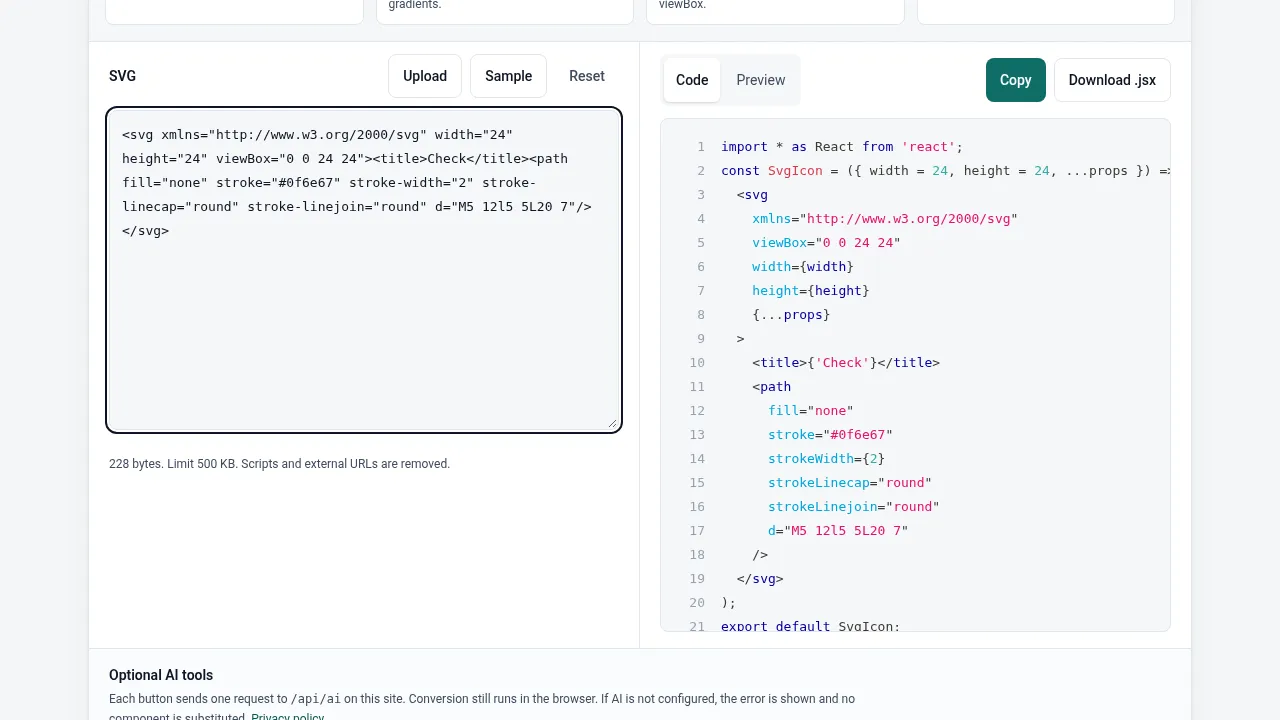
Our converters call @svgr/core 8 with @svgr/plugin-jsx in your browser tab. The SVG is not sent to a server for conversion. Before SVGR runs, a sanitizer removes scripts, event handlers, embedded HTML, and external URLs, as described in what the sanitizer removes. Then:
- Optimize is off by default. When you turn it on, it runs SVGO 4's
preset-default, which no longer includesremoveViewBoxorremoveTitle. The Optimize guide lists what stays. - Output can be JSX on the SVG to JSX page or TypeScript with an
SVGProps<SVGSVGElement>type on the SVG to TSX page. Separate pages emit React Native, Vue, and Svelte components. - The batch page takes up to 50 files and returns one zip, with an optional index file that re-exports every component. That is the closest an online tool gets to running the CLI on a folder.
- Optional AI buttons on the homepage converter send a request to this site only when you press one. The converter does not need them.
What it does not do: it has no SVGR template support, no custom Babel plugins, and no config file. If you need those, you need the CLI or a build loader.
Try the same file everywhere
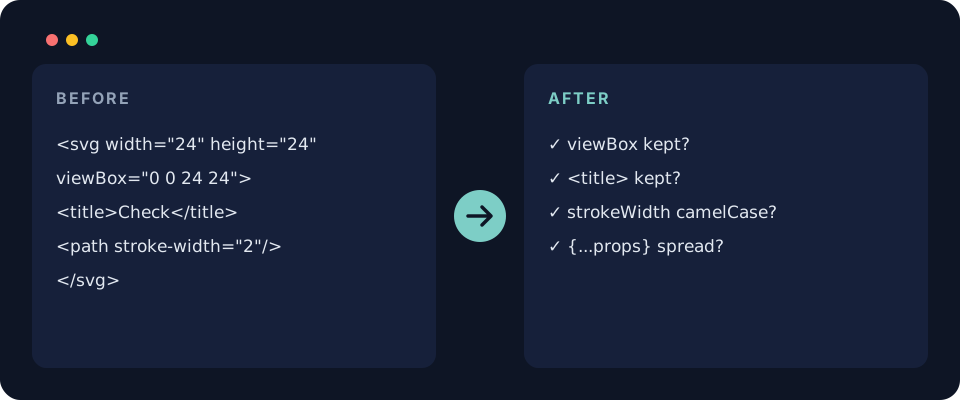
The quickest way to choose is to paste one real icon into each tool and read the output. This small file is a good test, because it has a viewBox equal to its size, a <title>, and hyphenated attributes:
<svg xmlns="http://www.w3.org/2000/svg" width="24" height="24" viewBox="0 0 24 24">
  <title>Check</title>
  <path fill="none" stroke="#0f6e67" stroke-width="2" stroke-linecap="round" d="M5 12l5 5L20 7"/>
</svg>
Check three things in each result:
- Is
viewBox="0 0 24 24"still on the root<svg>? - Is the
<title>still there, or is there a title prop you can pass? - Are
strokeWidthandstrokeLinecapcamelCase, and are props spread onto the root element so callers can setclassNameandaria-hidden?
When to skip the website
SVGR online tools are for one icon, or a handful, converted by a person who reads the output. When the same conversion has to run again next month on a different set of files, run SVGR locally instead. No install is needed beyond Node:
# SVGR without a website: one file to stdout
npx @svgr/cli --typescript --icon -- check.svg

# A whole folder, without SVGO, into src/icons
npx @svgr/cli --no-svgo --typescript --out-dir src/icons -- assets/icons
If you keep SVGO on in the CLI, check in a config that keeps the two elements SVGO 3 removes by default:
// svgr.config.js: keep viewBox and <title> when SVGR runs SVGO 3
module.exports = {
  svgoConfig: {
    plugins: [
      {
        name: "preset-default",
        params: { overrides: { removeViewBox: false, removeTitle: false } },
      },
    ],
  },
};
Whichever tool you pick, the component is code you ship. Read it once, and if an icon later does not appear on the page, the checklist in SVG Not Showing in React? Causes and Fixes covers the usual reasons.